A path, not a list
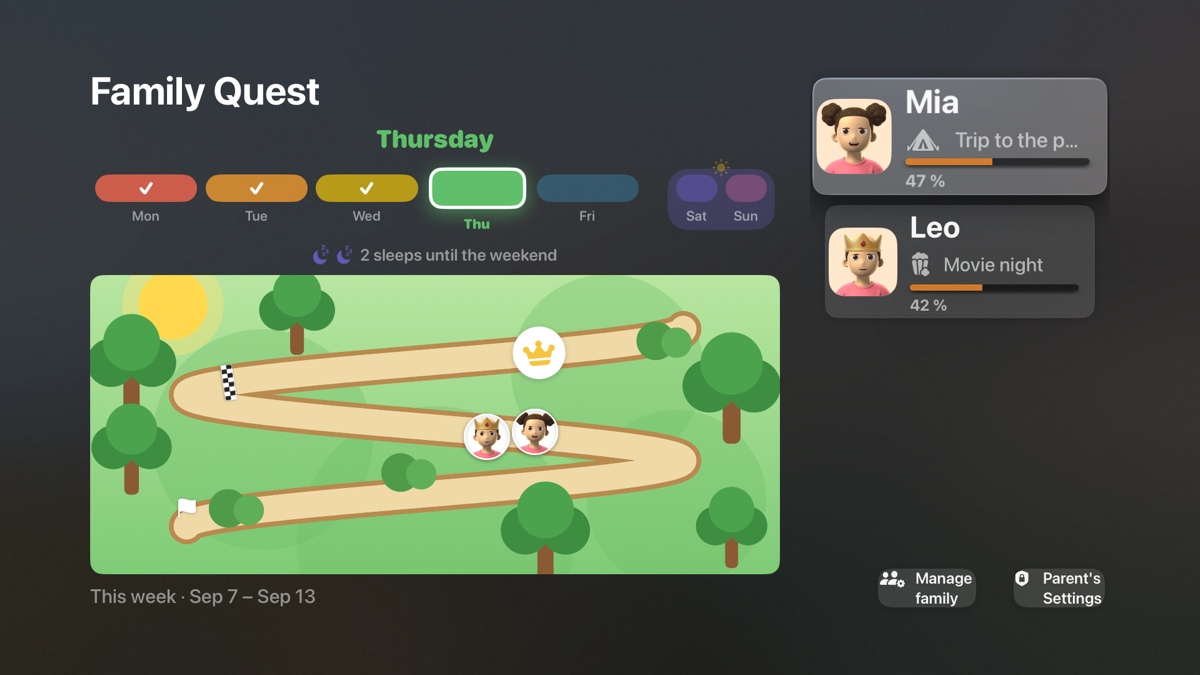
Every goal done moves the avatar along the map. A three-year-old can read a position on a path long before a percentage.
For kids too young to read a list
Each child has an avatar that walks a picture map as the week's routines get done. Parents run it from a phone. The whole family watches it on the television.
Free. No ads, no subscription, no in-app purchases. Children never have accounts.

A working model of the Apple TV screen. Log five days and Mia reaches the reward she picked. Log all seven and she takes the crown.
Why a television
Most chore charts live on a parent's phone, which is the one place a four-year-old never looks. A paper chart on the fridge works better for exactly that reason: it is in the room.
FamilyQuest puts the chart on the screen the family already gathers around. Each child's progress is visible without anyone asking, and goals can be checked off with the remote.
Built for a child who can't read yet
Every goal done moves the avatar along the map. A three-year-old can read a position on a path long before a percentage.
Seven days, one colour each, today lifted. When Sunday closes, the result is frozen and kept. A good week stays a good week.
The finish line is the reward the child picked. Go further and a crown, with a bonus, is waiting past it.
How it works
Real screens from the iPhone app, with a real week in them.
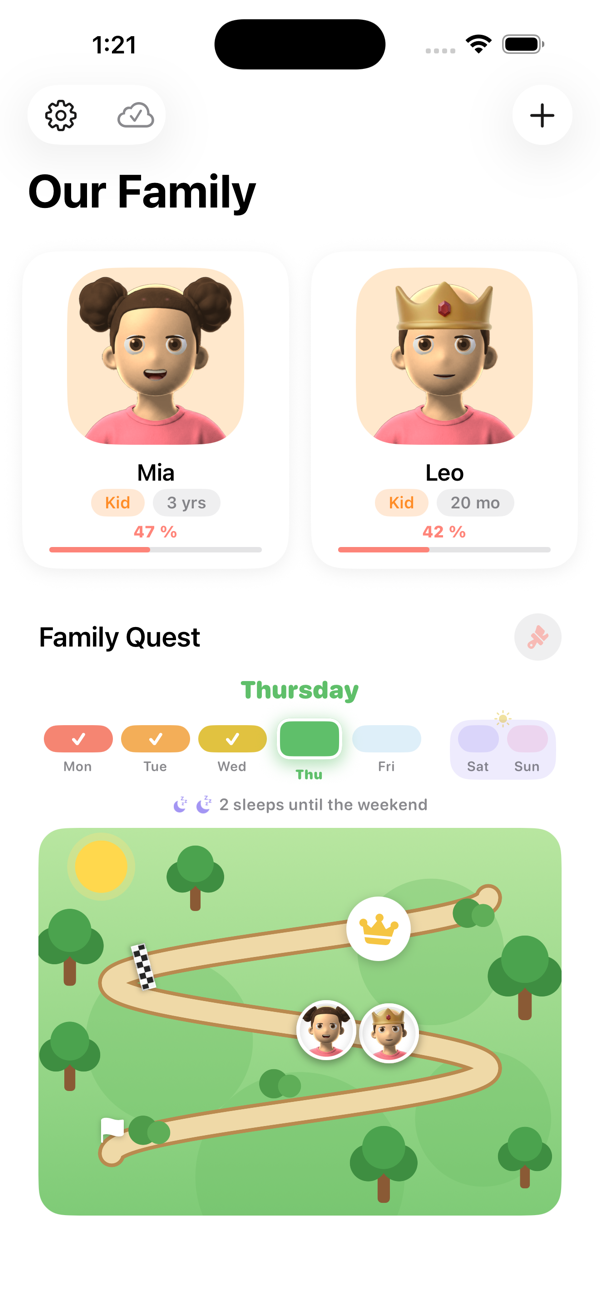
Brushing teeth twice a day, tidying up, eating the vegetables. Simple check-offs, or a friendly four-level rating for the fuzzier ones like “how was sharing today?”. A library of starter goals gets you going in minutes.
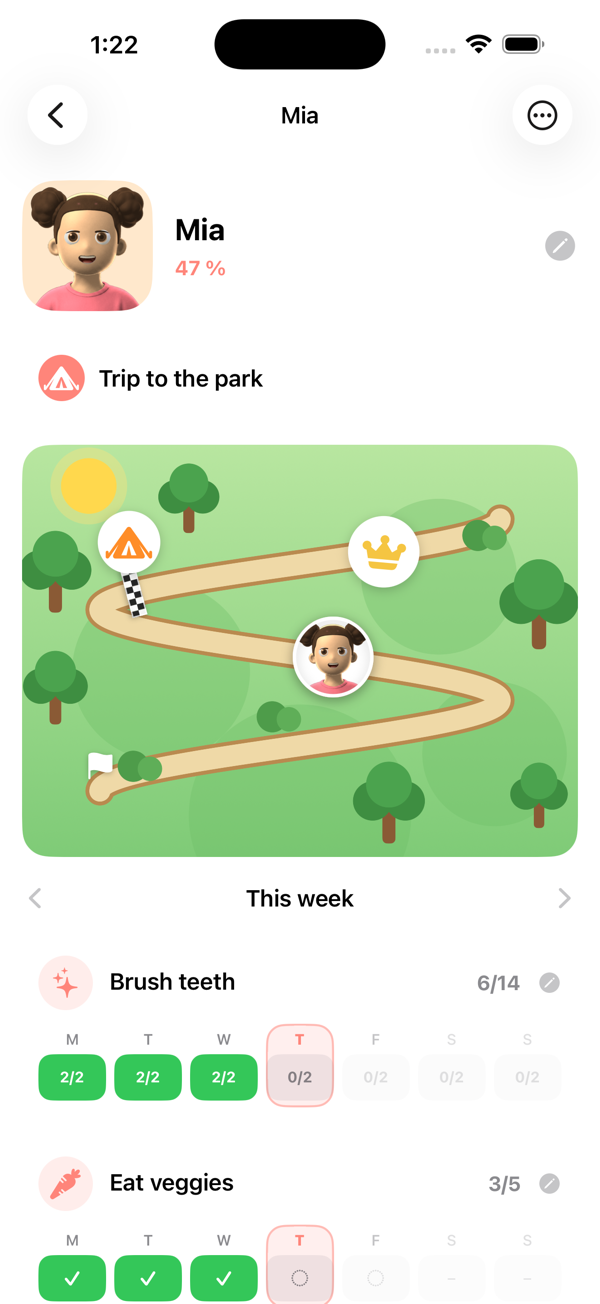
A child who picked the reward cares about the map. Weight the goals that matter most so they count for more, pause one for a holiday, or give it an end date when it finishes: school, daycare, a swimming term.
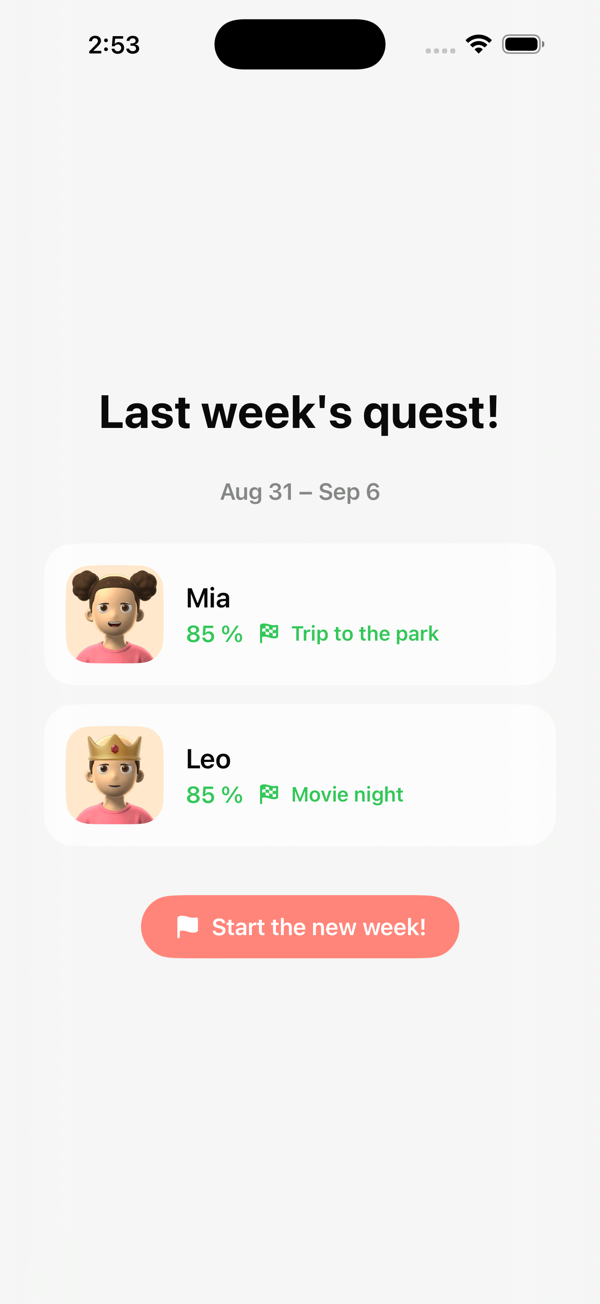
On a phone, a tablet or the TV. When the week ends the result is frozen and kept, so a good week stays a good week even if you change the goals afterwards. Sunday counts up, together.
Where it runs
Android phones are in closed testing on Google Play and not yet public. Two parents share one family with a six-digit invite code, and a television joins by pairing with a code shown on its screen. Everything is in English and Canadian French, on every platform.
Privacy
A parent signs in. The children exist only inside that family's own data, and only the family can see it.
No device identifiers, ever. No tracking, and nothing sold or shared with third parties. The app records which platforms a family uses, a short list such as “iPhone” and “Apple TV”, and nothing that could single out a device or a person.
Yes — free, with no advertising, no subscription and no in-app purchases.
That is what it was built for. The quest map is pictures, not text, so a three or four year old can see their own progress without reading anything.
Yes. A second parent joins the same family with a six-digit invite code and both phones stay in sync.
Android is in closed testing and not yet on Google Play. The Fire tablet and Fire TV versions are Android builds and are available now through the Amazon Appstore.
Yes, English and Canadian French, on every platform. This page is also available in French.
It is frozen and kept as it was. Editing goals later never rewrites a week your child already finished.